

For most homes the best no-subscription outdoor setup is a recorder that keeps video on your own drive: the Reolink RLK8-520D4-5MP kit if you can run Ethernet to each camera, or the eufy SoloCam E42 4-cam kit if you want wire-free solar cameras. Both store footage locally, so there is no monthly fee to keep recordings.


Quick Comparison
| Model | Power | Local storage | Resolution | Best for |
|---|---|---|---|---|
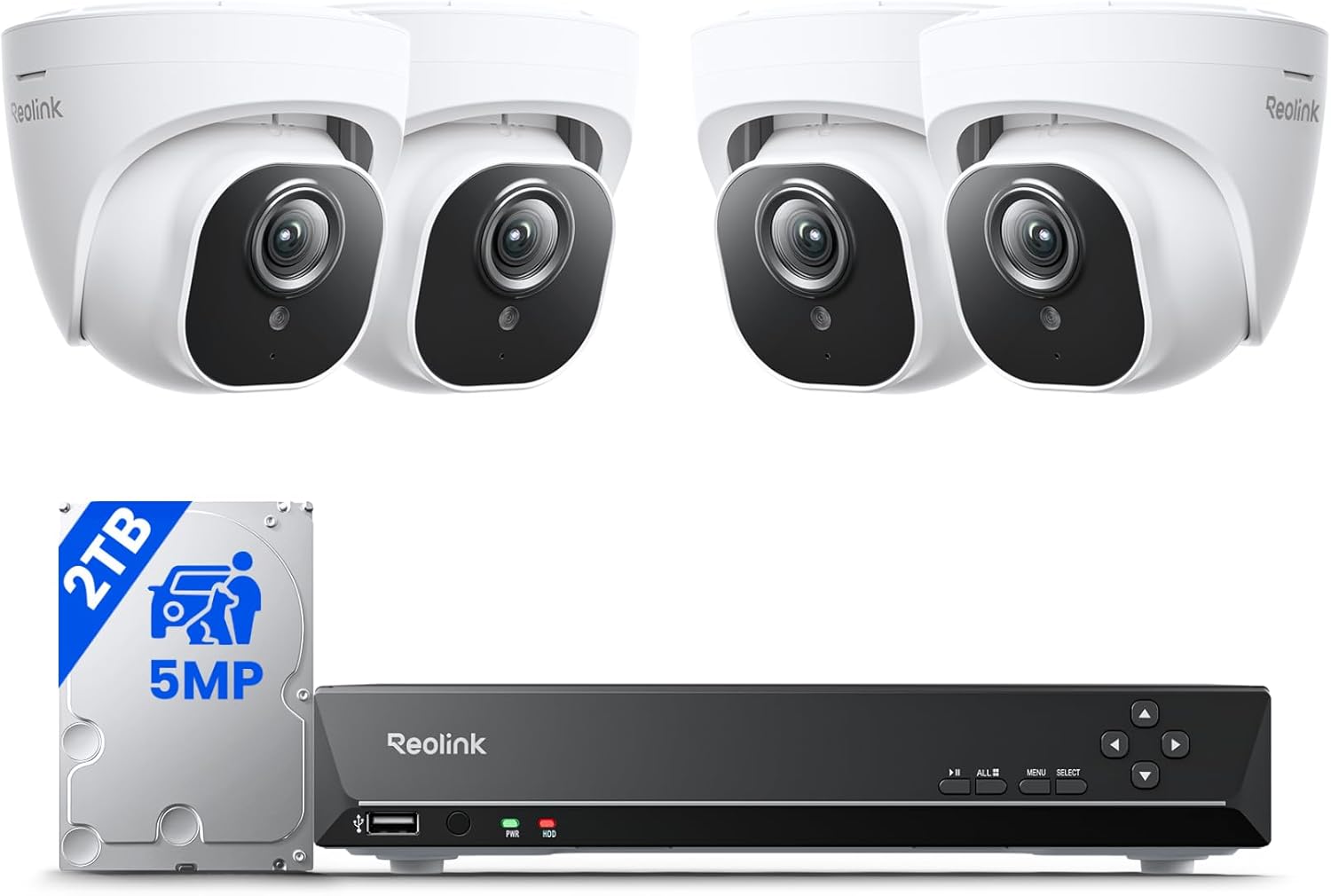
| Reolink RLK8-520D4-5MP | PoE over Ethernet | NVR with 2TB hard drive | 5MP, four cameras | Continuous recording on a whole property |
| eufy SoloCam E42, 4-cam kit | Battery and solar panel | HomeBase 3 (16GB built in, expandable per eufy) | 4K | Spots with no outlet or cable path |
| eufy Floodlight Cam E340 | Wired (corded, per listing) | microSD up to 128GB or HomeBase S380 | Up to 3K, dual lens | Driveway or yard with a floodlight |
| Vivideye 2-cam solar kit | Solar panel and battery | Base unit with 128GB microSD (listing) | 4MP (listing) | Two-camera starter setups |
How We Chose
The shortlist covers only cameras that record to storage you own: a recorder drive, a microSD card, or a base station. Sources are spec sheets, manuals, and public owner reviews, plus the Yard & Grid Score built from verified buyer ratings (see how we choose). We research and compare; we do not use or review the products ourselves. “No subscription” here means local recording needs no fee. Optional cloud plans, where a brand sells them, are extras.
Reolink RLK8-520D4-5MP: best for whole-property coverage
- Four 5MP PoE cameras plus an 8-channel recorder with a 2TB hard drive. Reolink’s page lists the kit with no monthly fee for local storage and estimates about 8 days of footage across the four cameras on the 2TB drive at default bitrate.
- One Ethernet cable carries both power and data, so cameras do not depend on Wi-Fi strength or batteries. Four extra channels remain for more cameras.
- The 8-day estimate implies 2,000 GB / 8 days = 250 GB per day for four cameras, or about 62 GB per camera per day. Reolink’s pages disagree on the maximum expansion size, so check the model page before buying a larger drive.
Best for: owners who can pull cable. Avoid if: you rent, or cannot run Ethernet to the camera spots.
eufy SoloCam E42 4-cam kit: best wire-free option
- Per the Amazon listing, the kit includes four solar-charged 4K cameras and a HomeBase 3. eufy lists the HomeBase 3 with 16GB of built-in storage, expandable to 16TB with a drive you add.
- The listing says about two hours of direct sunlight a day keeps the cameras charged. A shaded wall changes that, so put the panel where it sees sun.
- The eufy FAQ says 24/7 recording needs wired power and a HomeBase 3 with a hard drive installed. On solar, expect motion-triggered clips.
Best for: a garage corner, shed, or fence line with no cable path. Avoid if: you want continuous video on every camera without wiring.
eufy Floodlight Cam E340: best for a lit driveway
- The listing gives a dual-lens design with a 2,000-lumen light, a 95 dB alarm, and pan-tilt tracking. The listing describes it as a wired outdoor camera.
- Local recording needs a microSD card (listing: up to 128GB) or a HomeBase S380. The listing’s box contents do not include a card.
- Installing it where a light fixture was means electrical work. If you are not comfortable with household wiring, hire a licensed electrician.
Best for: one high-value area that also needs light. Avoid if: you only want a small, plug-and-go camera.
Vivideye 2-cam solar kit: starter option with limits
- The listing gives two 4MP solar cameras and a base unit with a built-in 128GB card, and claims up to 3 months of loop recording. We found no brand page to confirm that figure.
- The listing notes auto-tracking is off by default and must be turned on in the app.
- Small brand with fewer public reviews than eufy or Reolink, so app quality and long-term support are less proven.
Best for: trying local recording on two spots. Avoid if: you need documented brand support or published specs.
Cost of ownership without a plan
Without a plan, costs shift to hardware: a microSD card or hard drive, extra solar panels, and replacement batteries. Local storage also stays at your house, so a thief who takes the recorder takes the footage. Mount the recorder inside, out of reach. Cameras and recorders also stop when power or the router fails; see do security cameras work without power and how to keep security cameras running during a power outage.
Choosing between them
- Can you run cable? If yes, PoE is the most dependable. If no, go solar.
- How many days of video do you want? Days = drive size / (daily GB per camera x cameras). Using Reolink’s figure of about 62 GB per camera per day, a 4TB drive (4,000 GB) with 6 cameras gives 4,000 / (62 x 6) = about 10.8 days.
- Do you want a broader system, including sensors and a keypad? Compare the best home security systems without monthly fees.
FAQ
Do no-subscription cameras still send alerts?
Yes. Motion alerts come through the brand’s app. Reolink’s page says its smart detection alerts work without monthly fees, and eufy’s page lists local storage on the HomeBase with no monthly fee. Optional cloud plans, where sold, are extras.
What if the camera is stolen?
Footage on the camera’s own card leaves with it. A recorder or base station kept indoors keeps the video. The Vivideye listing makes the same point about its base unit.
Do I need Wi-Fi?
For live view on your phone, you need a network connection. Reolink’s PoE cameras link to the recorder by Ethernet cable instead of Wi-Fi. The E340 listing says it supports 2.4 GHz and 5 GHz Wi-Fi.
Changelog: November 2026: first published.