

For a desk setup or a router that should not blink when the grid drops, the Anker SOLIX C1000 Gen 2 is our first pick: Anker lists a 10 ms switchover, 1,024 Wh of capacity, and up to 1,800 W of AC bypass while it sits on wall power. If you need about twice the hours, the Anker SOLIX S2000 doubles the battery at the same stated 10 ms: 2,010 Wh x 0.85 / 195 W = about 8.8 hours for a desktop, monitor, and router.




Quick Comparison
The switchover column is the number each maker publishes, with the document it comes from. Switchover time is how long the outlets go without power between the grid dropping and the inverter taking over. Runtime is our calculation for a 195 W home office load (explained below).
| Station | Stated switchover | Where the figure appears | Capacity | Continuous AC | 195 W office load | Best for |
|---|---|---|---|---|---|---|
| Anker SOLIX C1000 Gen 2 | 10 ms | ankersolix.com US product page | 1,024 Wh | 2,000 W | about 4.5 hours | One desk, router, and a modem |
| Anker SOLIX S2000 | 10 ms | ankersolix.com US product page | 2,010 Wh | 1,500 W | about 8.8 hours | Always-on UPS duty with low idle draw |
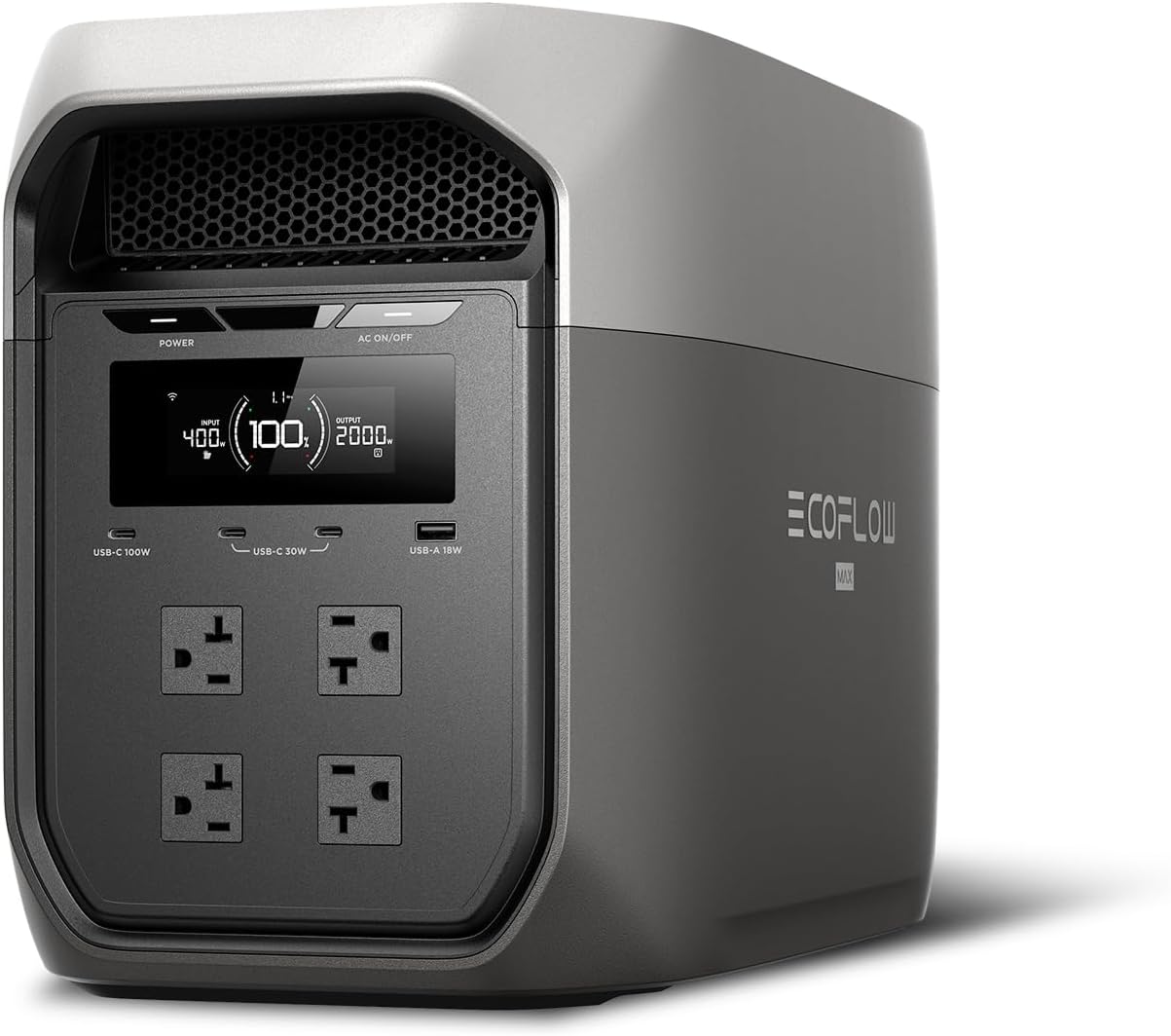
| EcoFlow DELTA 3 Max | 10 ms | us.ecoflow.com product page | 2,048 Wh | 2,400 W | about 8.9 hours | Office plus a fridge on the same unit |
| DJI Power 1000 V2 | within 0.01 s (10 ms) | dji.com FAQ, “controlled environment” | 1,024 Wh | 20 A max on 120 V outlets | about 4.5 hours | A quiet bedroom or office corner |
| EcoFlow DELTA 3 Classic | 10 ms | us.ecoflow.com product page | 1,024 Wh | 1,800 W | about 4.5 hours | A budget 1 kWh UPS for one room |
| Dabbsson 2000L | within 15 ms (EPS) | dabbsson.com product page | 2,048 Wh | 2,200 W | about 8.9 hours | Fridge and lights, not a desktop PC |
| Jackery Explorer 1000 v2 | under 20 ms | jackery.com US product page | 1,070 Wh | 1,500 W | about 4.7 hours | Loads that tolerate a short blink |
| BLUETTI AC180 | 20 ms or less | AC180 user manual | 1,152 Wh | 1,800 W | about 5.0 hours | Lamps, fridge, and chargers |
Two reference points for the same column: APC’s datasheet for the Back-UPS BE600M1, a small standby computer UPS, lists 6 ms typical and 10 ms maximum transfer. EcoFlow’s DELTA 3 Plus page says under 10 ms while its manual says 10 ms, and StorageReview measured just over 8 ms on that model. It is not in our list because the only DELTA 3 Plus listing in our product data is a solar panel bundle.
How We Chose
We started with one rule: a station made this list only if its maker publishes a switchover time we could trace to a product page, FAQ, or manual. We then ranked by that number, by usable capacity for a desk or fridge load, by AC bypass headroom while on grid power, by published idle draw, and by warranty. Specs come from maker pages and manuals; the Yard & Grid Score on each card is built from verified buyer ratings. We research and compare; we do not run our own product trials, so switchover figures here are the makers’ claims unless an independent outlet is named. Our method is on how we choose.
UPS vs EPS: What the Labels Mean
Both labels describe the same job: the station passes wall power through to your devices and switches them to its own inverter when the grid fails. Makers that say UPS (uninterruptible power supply) usually publish a switchover of 10 to 20 ms; makers that say EPS (emergency power supply) are often signaling a slower or less guaranteed switch, and Dabbsson’s 2000L page uses “EPS within 15ms.” Neither word is a certification on a power station, so read the millisecond figure, not the badge.
Why milliseconds matter: US grid power runs at 60 Hz, so one cycle lasts 1 / 60 s = about 16.7 ms. A 10 ms switch drops about 0.6 of a cycle; a 20 ms switch drops about 1.2 cycles. Routers, lamps, fridges, and phone chargers ride through either. Desktop computers, NAS boxes, and some network gear depend on how long their power supply can hold up on stored energy, which varies by model and load. For gear that cannot lose even one cycle, a dedicated computer UPS is the safer tool; the difference between the two device types is covered in what a UPS battery backup is, and the power station side is in what UPS mode on a power station does.
The Office Load We Sized Against
Start with the load. Our example home office is a 150 W desktop PC, a 30 W monitor, and a 15 W modem and router, for 195 W. These are labeled examples: Champion’s wattage chart puts a router at 10 to 20 W, and your PC’s draw can be checked with a plug-in watt meter. Runtime is rated Wh x 0.85 inverter efficiency (a common planning figure) / 195 W.
- 1,024 Wh class: 1,024 x 0.85 / 195 = about 4.5 hours.
- 2,000 Wh class: 2,010 x 0.85 / 195 = about 8.8 hours; 2,048 x 0.85 / 195 = about 8.9 hours.
- Router alone at 15 W: 1,024 x 0.85 / 15 = about 58 hours, or roughly two and a half days of internet from a 1 kWh station.
The Stations, Ranked
1. Anker SOLIX C1000 Gen 2
- Anker’s US page lists a 10 ms UPS switchover and 1,800 W of AC bypass, so a desk, a monitor, and a printer stay on grid power with room to spare.
- 1,024 Wh of LFP (lithium iron phosphate) cells, rated 4,000 cycles to 80 percent on Anker’s EU and AU pages.
- 2,000 W continuous output in a 24.9 lb body, about 1 lb heavier than the Jackery Explorer 1000 v2.
- Five-year warranty under Anker’s warranty policy table.
Best for: one home office or a modem and router that should keep running through an evening outage.
Avoid if: you need more than about 4 hours at a 200 W desk load, or you want to add an expansion battery later, since Anker lists it as not expandable.
2. Anker SOLIX S2000
- Same stated 10 ms switchover with 2,010 Wh, about 8.8 hours at our 195 W office load.
- Anker publishes a 6 W active idle figure, from its own measurement, and very few makers publish one at all. That matters for a box that sits in UPS mode all year (see the cost section).
- 6,000 cycles to 80 percent, 1,500 W rated and 3,000 W peak, 35.7 lb, five-year warranty.
- Not expandable and limited to 400 W of solar input.
Best for: a station that lives under a desk on permanent UPS duty and still covers a full workday off-grid.
Avoid if: your loads add up to more than 1,500 W, such as a space heater or a microwave on the same unit.
3. EcoFlow DELTA 3 Max
- EcoFlow lists a 10 ms UPS switchover, 2,048 Wh, and 2,400 W rated with a 4,800 W surge, the highest surge figure on this list.
- That headroom lets one unit carry an office and a fridge: 195 W plus a fridge averaging 55 W is 250 W, so 2,048 x 0.85 / 250 = about 7 hours.
- Warranty is three years plus two more with app registration. Expansion to 10 kWh belongs to the DELTA 3 Max Plus, not this model.
Best for: a kitchen-adjacent office where the fridge and the computer share one backup.
Avoid if: you plan to grow capacity later; pick an expandable model instead.
4. DJI Power 1000 V2
- DJI’s FAQ states UPS switching within 0.01 s, which is 10 ms, under a controlled environment.
- 1,024 Wh LFP and a stated 26 dB noise level, which suits a bedroom office.
- Expandable to 11,264 Wh with up to five Expansion Battery 2000 units, unusual for a 1 kWh base.
- About 14.2 kg (31.3 lb). Solar needs a separate MPPT adapter.
Best for: starting at 1 kWh with a UPS function and adding batteries later.
Avoid if: you want to plug a solar panel straight in without buying an adapter.
5. EcoFlow DELTA 3 Classic
- EcoFlow’s US page lists 10 ms switchover (not under 10 ms), 1,024 Wh LFP, 1,800 W continuous, 3,600 W surge.
- Full AC recharge in about 60 minutes, so it refills between short outages.
- 26.7 lb, 500 W of solar input, three years plus two with registration.
Best for: one room’s worth of UPS coverage at a lower tier than the Anker.
Avoid if: you want published cycle-life figures; the US page does not list one.
6. Dabbsson 2000L
- Dabbsson’s page calls the feature EPS and states switching within 15 ms, a little under one 16.7 ms cycle.
- 2,048 Wh LFP, 2,200 W with a 3,300 W Power Boost mode, 4,000 cycles to 80 percent, 41 lb.
- Six AC outlets and 800 W of solar input at 12 to 60 V.
Best for: keeping a fridge, freezer, and lights on through a long outage.
Avoid if: the load is a desktop PC or NAS that must not reboot; pick a 10 ms model or a computer UPS.
7. Jackery Explorer 1000 v2
- Jackery UPS mode: Jackery’s US product page says it switches power in under 20 ms.
- 1,070 Wh LiFePO4, 1,500 W rated and 3,000 W surge, 23.8 lb, three AC outlets.
- Warranty is three years plus two on jackery.com. Jackery’s product pages say its stations are not recommended for medical devices.
Best for: fridges, lamps, and chargers where a one-cycle gap does no harm.
Avoid if: the load is a computer that must not reboot.
8. BLUETTI AC180
- The AC180 user manual states a UPS switchover of 20 ms or less.
- 1,152 Wh, 1,800 W rated, 3,500+ cycles to 80 percent, five-year warranty per BLUETTI.
- Weight is listed as 35.3 lb on BLUETTI’s spec table and about 17 kg (37.5 lb) in the manual.
Best for: appliance backup where a 20 ms gap is acceptable and 1,152 Wh is enough.
Avoid if: you need a tight switchover for electronics, or you will carry it up stairs often.
What UPS Duty Costs to Own
A station in UPS mode is plugged in all year, so idle draw becomes a utility cost. Anker’s 6 W figure for the S2000 works out to 6 W x 8,760 hours = about 53 kWh a year; at the EIA’s October 2026 outlook figure of 18.2 cents per kWh for 2026, that is 53 x 0.182 = about 10 dollars a year. Most other makers on this list do not publish an idle figure, so ask before you buy if it matters to you.
- Warranty: five years for the Anker units and the AC180; three plus two for EcoFlow and Jackery, with conditions (app registration, or purchase on jackery.com).
- Cycles: UPS standby uses few cycles while the grid is up; outages and solar use are what count down the 3,500 to 6,000 cycle ratings published for these models.
- Accessories: DJI’s solar adapter and expansion batteries add cost; the Anker S2000 and DELTA 3 Max cannot add batteries at all.
How to Choose a Station for UPS Duty
Answer four questions in order, and the list sorts itself.
- Will the load survive the gap? Lamps, fridges, routers, and chargers: 20 ms is fine. Desktop PCs and NAS boxes: pick a 10 ms model, and plan on a computer UPS for anything that cannot reboot.
- How many hours do you need? Hours = rated Wh x 0.85 / load W. A 300 W office and fridge load on a 1,024 Wh unit: 1,024 x 0.85 / 300 = about 2.9 hours.
- Is bypass headroom enough? While on wall power, everything plugged in passes through the station. Anker lists 1,800 W of bypass on the C1000 Gen 2; check the figure for any other model before you add a heater or a coffee maker to the strip.
- Will it sit plugged in for years? Weigh idle draw and warranty length over raw capacity. Setup steps are covered in what pass-through charging is.
For a CPAP, read the maker notes in our CPAP station guide first; for whole-house planning, see the best portable power stations for home backup. A station in UPS mode never connects to your electrical panel; if you want backup on hardwired circuits, that is a job for a licensed electrician.
FAQ
Can a portable power station replace a computer UPS?
For many desks, yes, if the switchover is 10 ms and your PC rides through it. A standby computer UPS like the APC BE600M1 lists 6 ms typical and 10 ms maximum, a tighter typical figure than any station here publishes. Keep the computer UPS for a NAS or server.
Does Jackery have a UPS mode?
Yes. Jackery’s US page states under 20 ms for the Explorer 1000 v2, and jackery.com lists under 20 ms for the Explorer 2000 v2. That is fine for appliances and borderline for computers.
Is EPS worse than UPS?
Not by definition. The label is the maker’s choice; the millisecond figure is what to compare. Dabbsson’s EPS figure of 15 ms sits between the 10 ms and 20 ms UPS claims on this list.
Does leaving a station in UPS mode wear the battery?
While the grid is up, the makers describe the load as running on wall power through the bypass, with the battery held in reserve. Follow your maker’s manual on storage charge level and on how often to run the battery down.
Changelog: October 2026: first published.