

For most desks, the Anker SOLIX C1000 Gen 2 is the right fit: Anker lists a 10 ms switchover, 1,024 Wh of storage, and 2,000 W of output, which carries a 195 W desktop setup for about 4.5 hours (1,024 Wh x 0.85 / 195 W = about 4.5 hours). Step up to 2,000 Wh if you need a full workday.


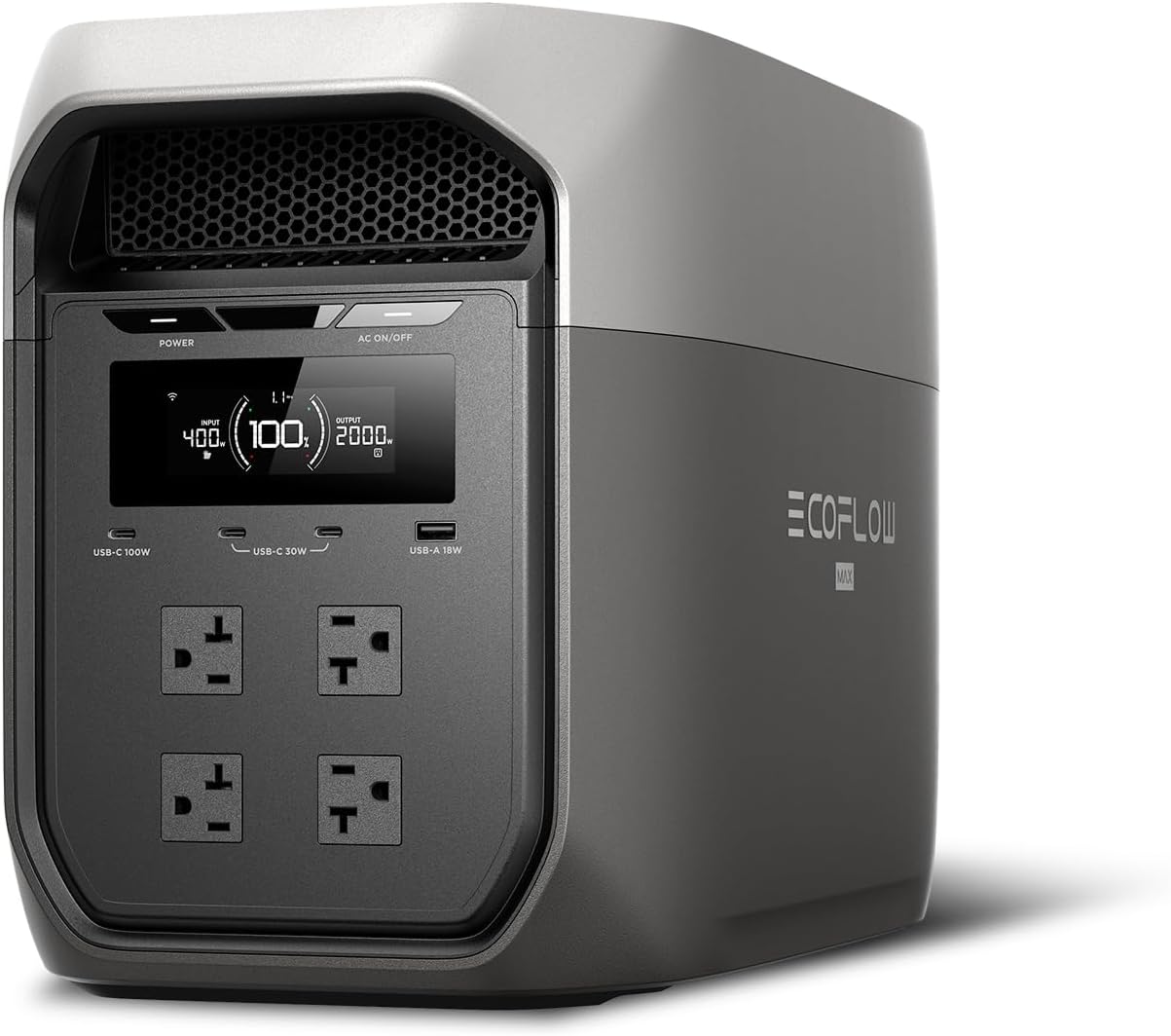


A power station keeps a PC online only if it switches fast and holds enough watt-hours (Wh), the size of the tank. This guide ranks five stations on those two points. For the wider UPS field, see our best power stations with UPS mode.
Quick Comparison
Runtime columns use rated Wh x 0.85 inverter efficiency (a common planning figure) / load watts. The three loads are labeled examples, explained below.
| Station | Capacity | AC output | Published switchover | Laptop desk, 110 W | Desktop, 195 W | Gaming PC, 505 W | Best for |
|---|---|---|---|---|---|---|---|
| Anker SOLIX C1000 Gen 2 | 1,024 Wh | 2,000 W | 10 ms | about 7.9 h | about 4.5 h | about 1.7 h | One desk and a router |
| Anker SOLIX S2000 | 2,010 Wh | 1,500 W | 10 ms | about 15.5 h | about 8.8 h | about 3.4 h | Always-on UPS duty |
| EcoFlow DELTA 3 Max | 2,048 Wh | 2,400 W | 10 ms | about 15.8 h | about 8.9 h | about 3.4 h | Office plus a fridge |
| DJI Power 1000 V2 | 1,024 Wh | 20 A max AC output (120 V model) | Within 0.01 s (10 ms) | about 7.9 h | about 4.5 h | about 1.7 h | A quiet room, room to expand |
| EcoFlow DELTA 3 Classic | 1,024 Wh | 1,800 W | 10 ms | about 7.9 h | about 4.5 h | about 1.7 h | A lower-tier 1 kWh UPS |
How We Chose
A station made this list only if its maker publishes a switchover time on a product page, FAQ, or manual. We then ranked on that number, usable capacity for a desk load, output headroom, published idle draw, and warranty. We research and compare; we do not run our own product trials, so switchover figures are the makers’ claims. The Yard & Grid Score on each card comes from verified buyer ratings. Our method is on how we choose.
Size the Desk Before the Battery
Start with the load. Our examples are labeled, not measured: a laptop at 65 W, a desktop PC at 150 W, a gaming PC at 450 W, a monitor at 30 to 40 W, and a modem and router at 15 W. A plug-in watt meter gives your real numbers.
- Laptop desk: 65 + 30 + 15 = 110 W.
- Desktop: 150 + 30 + 15 = 195 W.
- Gaming PC: 450 + 40 + 15 = 505 W.
To ride out an outage while saving work, Wh needed = load W x hours / 0.85. A 4-hour outage at 195 W needs 195 x 4 / 0.85 = about 920 Wh, so a 1,024 Wh unit fits with little to spare. A router alone at 15 W runs 1,024 x 0.85 / 15 = about 58 hours.
Several of these maker pages do not state the AC waveform, so confirm pure sine wave output in the manual (see our pure sine wave explainer) before plugging in a PC power supply. Switchover is the bigger question: US grid power runs at 60 Hz, so one cycle lasts 1 / 60 s = about 16.7 ms, and a 10 ms switch drops about 0.6 of a cycle. See what UPS mode does for the details.
The Stations, Ranked
1. Anker SOLIX C1000 Gen 2
- Anker’s US page lists a 10 ms UPS switchover and 1,800 W of AC bypass, so a desk, monitor, and printer stay on wall power with room to spare.
- 1,024 Wh LFP (lithium iron phosphate), rated 4,000 cycles to 80 percent on Anker’s EU and AU pages, 24.9 lb, five-year warranty per Anker.
Best for: one home office or a modem and router that must survive an evening outage.
Avoid if: you need more than about 4 hours at a 200 W desk load, or you want to add a battery later; Anker lists it as not expandable.
2. Anker SOLIX S2000
- Same stated 10 ms switchover with 2,010 Wh, about 8.8 hours at 195 W.
- Anker publishes a 6 W active idle figure from its own measurement. Rated 6,000 cycles to 80 percent, 1,500 W (3,000 W peak), 35.7 lb, five-year warranty.
Best for: a station that lives under the desk on permanent UPS duty and still covers a full workday.
Avoid if: your loads pass 1,500 W, such as a space heater on the same unit, or you want expansion; it is not expandable.
3. EcoFlow DELTA 3 Max
- EcoFlow lists a 10 ms UPS switchover, 2,048 Wh, and 2,400 W with a 4,800 W surge.
- Headroom lets one unit carry an office and a fridge: 195 W plus a 55 W average fridge is 250 W, so 2,048 x 0.85 / 250 = about 7 hours.
- Warranty is three years plus two with app registration.
Best for: a kitchen-adjacent office where the fridge and computer share one backup.
Avoid if: you plan to grow capacity later; this model does not take extra batteries.
4. DJI Power 1000 V2
- DJI’s FAQ states UPS switching within 0.01 s (10 ms) under a controlled environment.
- 1,024 Wh LFP with a stated 26 dB noise level, about 31.3 lb, expandable to 11,264 Wh with up to five Expansion Battery 2000 units.
- Solar needs a separate MPPT adapter.
Best for: starting at 1 kWh with a quiet bedroom office and adding batteries later.
Avoid if: you want to plug a solar panel straight in with no adapter.
5. EcoFlow DELTA 3 Classic
- EcoFlow’s US page lists 10 ms, 1,024 Wh LFP, 1,800 W continuous, and 3,600 W surge, at 26.7 lb.
- Full AC recharge in about 60 minutes, so it refills between short outages. Warranty is three years plus two with registration.
Best for: one room of UPS coverage at a lower tier than the Anker.
Avoid if: you want a published cycle-life figure; the US page does not list one.
What UPS Duty Costs to Own
A station in UPS mode is plugged in all year, so idle draw becomes a utility cost. Anker’s 6 W figure for the S2000 works out to 6 W x 8,760 h = about 53 kWh a year; at the EIA’s October 2026 outlook of 18.2 cents per kWh for 2026, that is 53 x 0.182 = about 10 dollars a year. The other pages we read give no idle figure, so ask before you buy.
- Warranty: five years for the Anker units; three plus two for EcoFlow, with conditions.
- Battery life: standby uses few cycles while the grid is up; outages count down the 4,000 to 6,000 cycle ratings.
How to Choose
- Can the PC ride through the gap? A router or laptop can; for a desktop or NAS pick a 10 ms model, and keep a dedicated computer UPS for anything that cannot reboot.
- How many hours? Hours = rated Wh x 0.85 / load W. A 300 W office plus fridge load on 1,024 Wh: 1,024 x 0.85 / 300 = about 2.9 hours.
- Is there enough output? Add the watts of everything on the strip and stay under the continuous rating.
- Will it sit plugged in for years? Weigh idle draw and warranty over raw capacity. See pass-through charging.
A station in UPS mode never connects to your electrical panel; hardwired backup is a job for a licensed electrician. For sizing beyond the desk, see how to choose power station size.
FAQ
Can a power station replace a computer UPS?
For many desks, yes, if the switchover is 10 ms and your PC rides through it. APC lists 6 ms typical and 10 ms maximum for its BE600M1 standby UPS, a tighter typical figure than any station here publishes.
How long will a station run a laptop and router?
A 65 W laptop plus a 15 W router is 80 W. On 1,024 Wh: 1,024 x 0.85 / 80 = about 10.9 hours.
Does a gaming PC need a bigger station?
It needs more watt-hours, not more output. At 505 W, a 1,024 Wh unit lasts about 1.7 hours; a 2,000 Wh unit about 3.4 hours.
Changelog: November 2026: first published.